Network Security & Threats: Malware, Firewalls & Protection (OCR A-Level CS 1.3.3)
OCR A-Level CS 1.3.3: network threats including malware, phishing, DoS and SQL injection, plus how firewalls, encryption and other measures protect a network

Free Network Security Threats revision resources (OCR A-Level Computer Science, 1.3.3)
We’ve made exam-style practice for this exact topic, free to download: Network Security Threats question sheet, mark scheme and cheat sheet. Grab them, have a go, then read the full guide below.
Every network connected to the internet is a target. OCR's spec point 1.3.3 covers the threats to a network and the measures used to protect it — a favourite for scenario questions ("a company stores customer data… discuss the threats and how to protect against them"), often worth 8–12 marks.
This guide covers the main threats (malware, phishing, DoS, SQL injection) and the main protective measures (firewalls, encryption, anti-malware, and more).
What are the main threats to a network?
Malware ("malicious software") is software written to damage or gain unauthorised access to a system. The main types:
Virus — attaches to a file and spreads when that file is run; can corrupt or delete data.
Worm — like a virus but spreads by itself across a network without needing a host file.
Trojan — disguised as a useful program; once run it opens a "back door" for an attacker.
Spyware — secretly records activity (e.g. keystrokes) and sends it to an attacker.
Ransomware — encrypts the user's files and demands payment to unlock them.
Phishing tricks people into giving away sensitive information (passwords, card numbers) using fake but convincing emails or websites that imitate a trusted organisation. It targets the user, not the technology.
Denial of Service (DoS) attacks flood a server with so many requests that it cannot respond to legitimate users, taking the service offline. A distributed DoS (DDoS) uses many machines at once.
SQL injection exploits a database-driven website that doesn't check user input. An attacker types SQL code into an input box (e.g. a login field); if the site builds its query by pasting the input straight in, the injected code runs against the database — potentially revealing or deleting data.
How are SQL injection attacks possible?
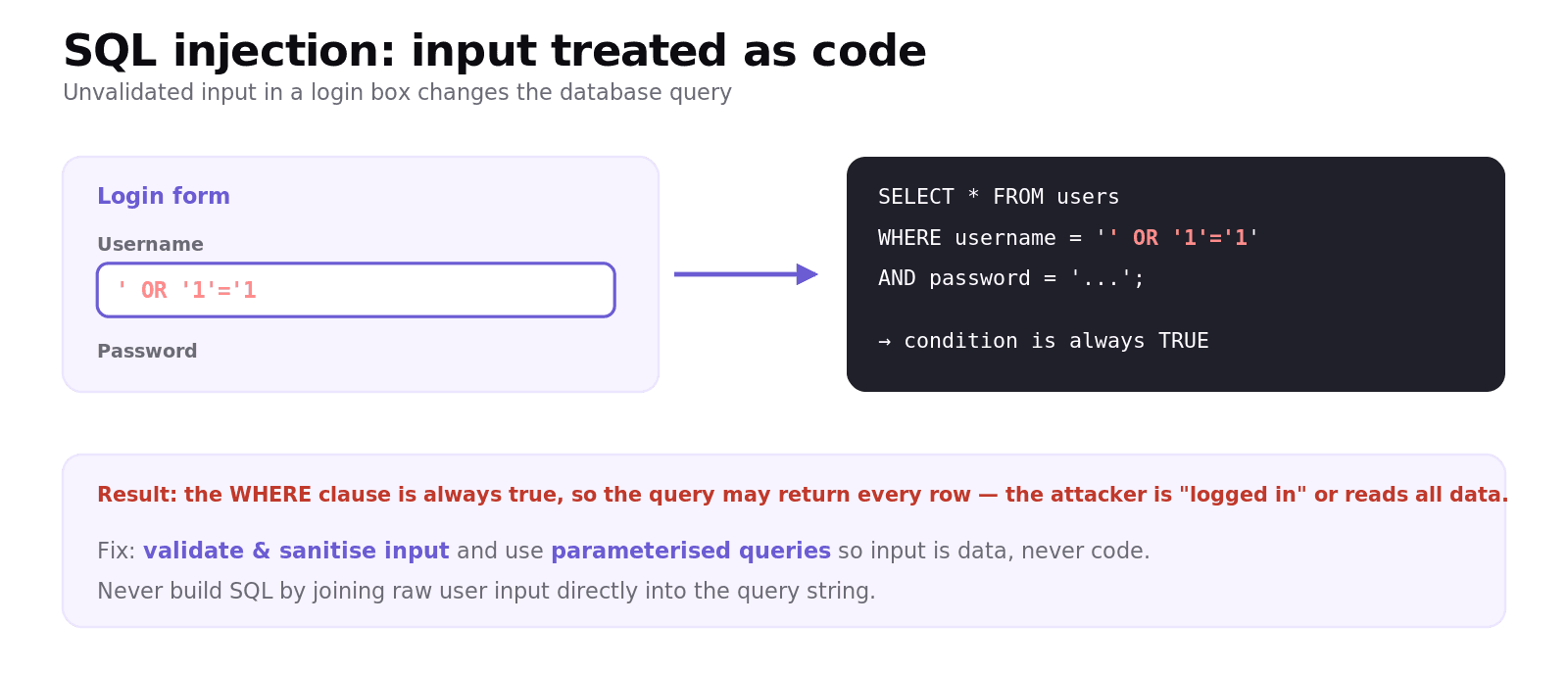
Imagine a login that builds this query by joining text to whatever the user typed:
If the attacker types ' OR '1'='1 into the box, the query becomes one whose WHERE condition is always true, so it may return every user and grant access. The fix is to validate and sanitise input (and use parameterised queries) so input is treated as data, never as code.
How is a network protected?
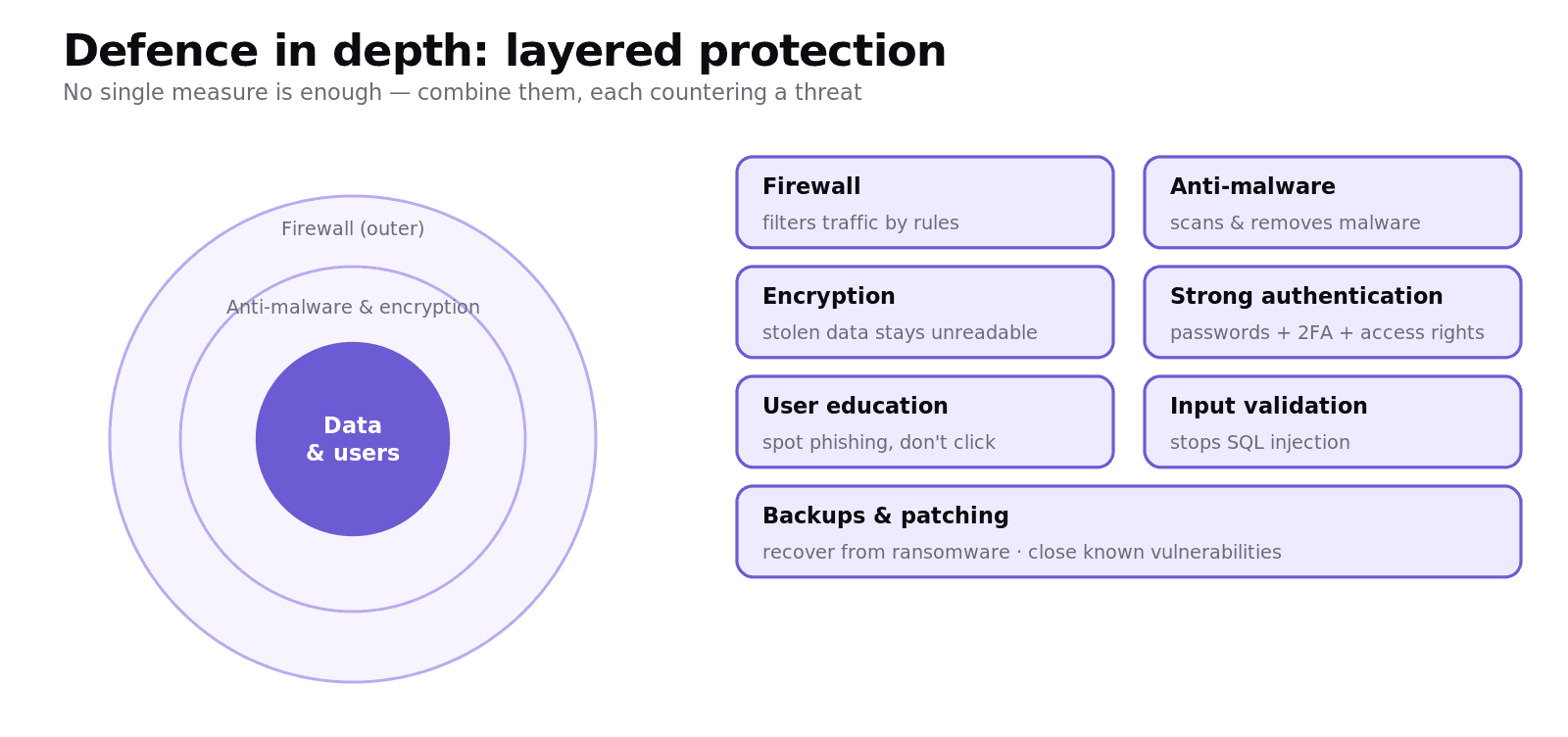
No single measure is enough — defence is layered:
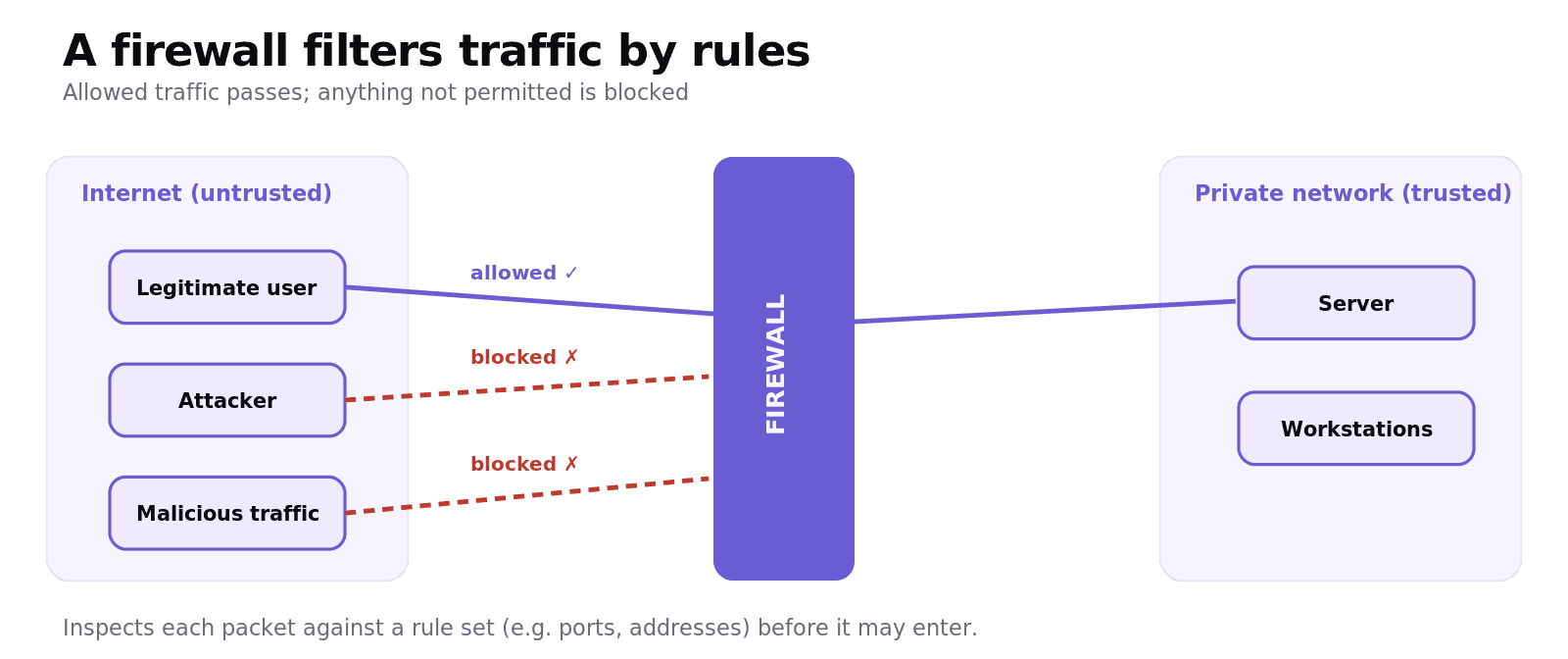
Firewall — sits between the network and the outside world and inspects traffic against a rule set, blocking anything that isn't allowed (e.g. traffic on suspicious ports). It is the first line of defence.
Anti-malware / antivirus software — scans for and removes known malware, and runs in the background to catch new infections.
Encryption — scrambles data so that even if it is intercepted or stolen it cannot be read without the key (vital for data in transit and for stored sensitive data).
Strong authentication — strong passwords, two-factor authentication and access rights so users only reach what they need.
User education — training people to spot phishing and not click suspicious links (defends the human weak point).
Input validation / sanitisation — defends against SQL injection.
Regular backups and updates / patches — backups allow recovery from ransomware; patches close known vulnerabilities.
Worked example: protecting an online shop
A shop stores customer names, addresses and card details, and is worried about attacks.
Threats: malware could steal or corrupt the database; phishing could trick staff into revealing logins; a DoS attack could take the site offline at a busy time; SQL injection could expose customer records through the login or search box.
Protection: a firewall filters incoming traffic; encryption protects stored card data and data in transit (HTTPS); anti-malware and prompt patching reduce infections; input validation stops SQL injection; strong authentication and staff training defend the login and the human weak point; backups allow recovery if ransomware strikes.
That structure — name the threat, then the matched defence, then justify — is exactly what the extended-response questions reward.
Common exam mistakes
Confusing virus and worm. A worm spreads by itself across a network; a virus needs a host file that is run.
Saying a firewall "removes viruses". A firewall filters traffic by rules; anti-malware removes malware. Different jobs.
Treating phishing as a technical attack. Phishing targets the user through deception; the defence is mainly user education.
Vague SQL injection answers. Say the attacker enters SQL code into an input field and the fix is input validation / parameterised queries.
Listing one measure. Scenario questions want layered defence and each measure matched to a threat with justification.
Quick recap
Malware: virus (needs a host file), worm (self-spreading), trojan (disguised back door), spyware (records activity), ransomware (encrypts files for payment).
Phishing deceives users into revealing data; DoS floods a server offline; SQL injection runs malicious SQL via unvalidated input.
Firewall filters traffic by rules; anti-malware removes malware; encryption protects intercepted/stolen data.
Also: strong authentication, user education, input validation, backups and patching.
Defence is layered — match each measure to a threat and justify it.
Frequently asked questions
What is malware? Malware is malicious software written to damage a system or gain unauthorised access. Common types include viruses, worms, trojans, spyware and ransomware, each spreading or causing harm in a different way.
What is the difference between a virus and a worm? A virus attaches to a host file and spreads only when that file is run, whereas a worm is self-replicating and spreads by itself across a network without needing a host file or user action.
What is phishing? Phishing is an attack that tricks people into revealing sensitive information, such as passwords or card details, using fake emails or websites that imitate a trusted organisation. It targets the user rather than the technology, so user education is the main defence.
What is a denial of service (DoS) attack? A denial of service attack floods a server with so many requests that it cannot respond to legitimate users, taking the service offline. A distributed denial of service (DDoS) attack uses many machines at once to do this.
What is SQL injection and how is it prevented? SQL injection is an attack where malicious SQL is entered into an input field on a database-driven website that does not check its input, causing the injected code to run against the database. It is prevented by validating and sanitising input and using parameterised queries.
How does a firewall protect a network? A firewall sits between the network and the outside world and inspects incoming and outgoing traffic against a set of rules, blocking anything that is not allowed, such as traffic on suspicious ports. It is a first line of defence but is used alongside other measures.