Input & Output Devices (OCR A-Level CS 1.1.3
OCR A-Level CS 1.1.3: input and output devices and how to choose the right one for a problem. Sensors, actuators, worked example, diagrams and exam tips.

Free Input Output Devices revision resources (OCR A-Level Computer Science, 1.1.3)
We’ve made exam-style practice for this exact topic, free to download: Input Output Devices question sheet, mark scheme and cheat sheet. Grab them, have a go, then read the full guide below.
A computer is only useful if it can take data in and send results out. Spec point 1.1.3 asks how input, output and storage devices are applied to real problems, and here is the part students miss: OCR almost never wants a list of gadgets. It gives you a scenario, a fitness tracker, a self-service checkout, an accessible workstation, and the marks come from naming a sensible device and justifying it for that exact situation. I'll be honest with you, this is one of the easiest topics on the paper to score full marks on, and one of the easiest to throw away by answering with a plain list. Let's make sure you are on the right side of that.
This guide covers the main input and output devices, what sensors and actuators are, and how to pick the right device for a given problem.
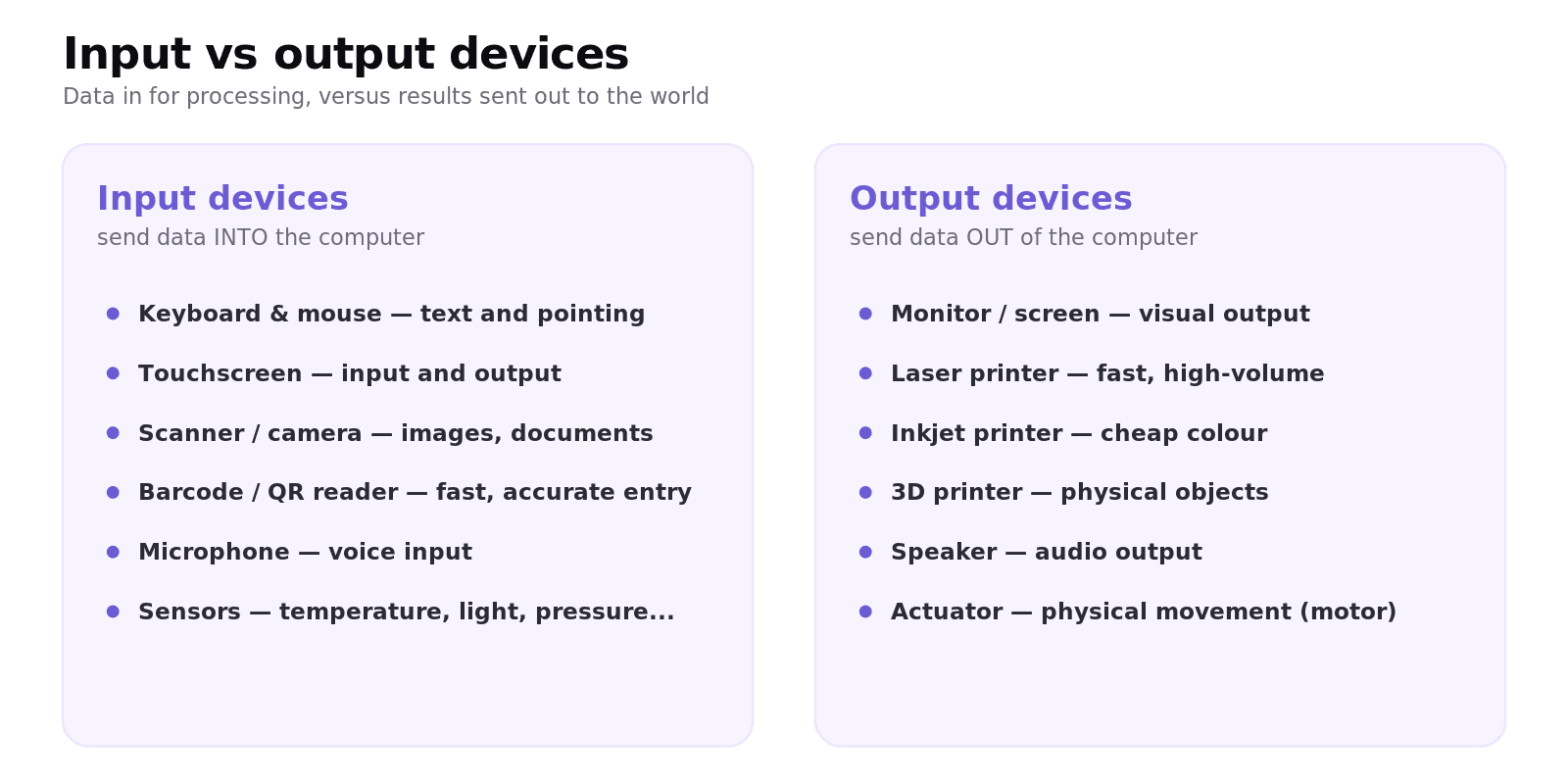
What is the difference between an input and an output device?
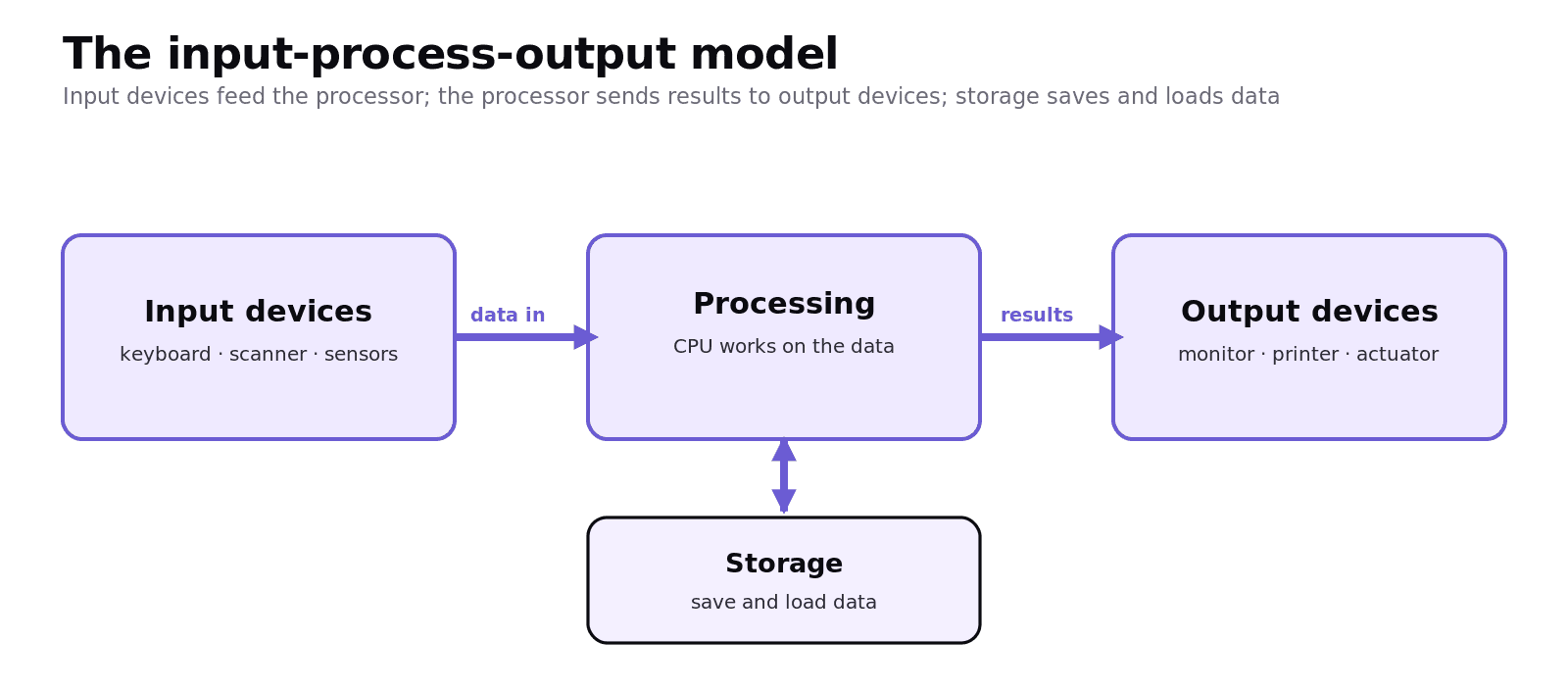
An input device sends data into the computer for processing; an output device receives data from the computer and presents it to the outside world. The processor sits in the middle, turning input into output, with storage holding data for later. This is the input-process-output (IPO) model.
What input devices should you know?
You should be able to name common input devices and say what each is good for:
Keyboard and mouse: general text entry and pointing.
Touchscreen: direct interaction; note it is both an input and an output device.
Scanner / camera: capturing images or documents.
Barcode and QR readers: fast, accurate data entry at tills and warehouses.
Microphone: voice input and commands.
Sensors: devices that measure a physical quantity (temperature, light, pressure, motion, heart rate) and send it to the computer. These power embedded and control systems.
What output devices should you know?
Monitor / screen: visual output.
Printer: a laser printer for fast, high-volume office printing; an inkjet for cheap colour; a 3D printer for physical objects.
Speaker: audio output.
Actuator: a component that turns an electrical signal into physical movement, such as a motor opening a valve or moving a robot arm. Actuators are the "output" of control systems.
How do you choose the right device for a problem?
This is the most important part of the whole topic, so do not skip past it. For each device, name it and justify it against the constraints of the scenario: speed, accuracy, environment, cost, the user, and whether the device must be portable or rugged. The device on its own is usually only half the marks. The reason is the other half.
Worked example: a self-service supermarket checkout
Barcode scanner (input): reads product codes far faster and more accurately than typing them, speeding up the queue and reducing errors.
Touchscreen (input and output): lets the customer choose options and shows prompts, with no separate keyboard to maintain.
Weighing scale (sensor input): checks the item placed in the bagging area matches the scan, reducing theft.
Receipt printer (output): produces a paper record of the transaction.
Speaker (output): gives audio prompts such as "unexpected item in the bagging area".
Notice that every single choice is tied to why it suits this task. That is exactly what "name a device and give a reason" questions reward, and it is the habit that separates a top answer from an average one.
Common exam mistakes
Every one of these is avoidable, and I see all of them every year. Read them honestly.
Listing devices with no reason. "Name a device and give a reason" needs the justification; the device alone is usually only half the marks.
Forgetting the touchscreen is both. When asked for an input and an output device, do not use a touchscreen for both unless the question allows it.
Vague sensor answers. Name the quantity it measures (temperature, light, pressure), not just "a sensor".
Confusing a sensor with an actuator. A sensor measures and inputs data; an actuator acts and outputs movement.
Ignoring the scenario. A device suited to an office (laser printer) may be wrong for a rugged outdoor system; always answer for the situation given.
Quick recap
Input device = data in (keyboard, scanner, barcode reader, microphone, sensors). Output device = data out (monitor, printer, speaker, actuator).
The IPO model: input devices → processing → output devices, with storage alongside.
A sensor measures a physical quantity and inputs it; an actuator outputs physical movement.
A touchscreen is both an input and an output device.
In scenario questions, always name the device and justify it for the task, user and environment.
Here is the one habit to take away from this topic: never name a device without finishing the sentence with "because". Because it is faster. Because it still works with wet hands. Because the user cannot operate a mouse. Build that reflex and these turn into some of the most reliable marks on Paper 1. You have got this.
Frequently asked questions
What is the difference between an input and an output device? An input device sends data into the computer for processing, such as a keyboard, scanner or sensor. An output device takes processed data from the computer and presents it, such as a monitor, printer, speaker or actuator.
Is a touchscreen an input or an output device? Both. It displays information like a monitor (output) and detects touch to control the device (input), which is why it is popular on phones, tablets and kiosks.
What is an actuator? An actuator is a component that converts an electrical signal from the computer into physical movement, such as a motor, valve or hydraulic arm. Actuators are the output stage of control systems like robots and central heating.
What is a sensor and can you give examples? A sensor measures a physical quantity and inputs it to the computer as data. Examples include temperature, light, pressure, motion, humidity and heart-rate sensors, all common in embedded and control systems.
What input devices suit a user with very limited mobility? Options include eye-tracking systems, a single large switch operated by any reliable movement, a sip-and-puff device, or voice input with a microphone, each allowing control without fine hand movement.
How do I answer "name a device and give a reason" questions? Name a specific, suitable device, then justify it against the scenario, mentioning factors such as speed, accuracy, the environment, the user's needs or cost. The reason is usually worth as much as the device itself.